A Bible reading tracker
Your Bible,
book by book.
A quiet place to keep track of your reading. Mark chapters as you go and watch a shelf of all 66 books — 1,189 chapters — slowly fill.
Already have an account? Sign in
Free · Sign in with Google · Works on your phone
66
books
1,189
chapters
1
shelf to fill
The bookshelf
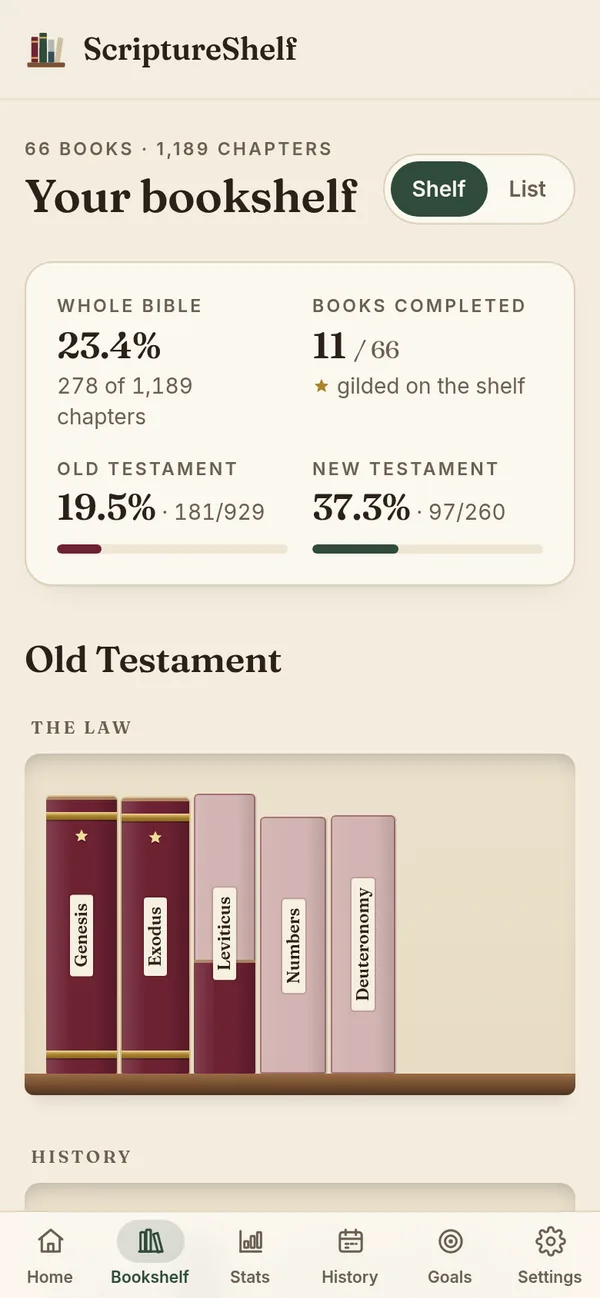
Every book, on one shelf.
Like the paper bookshelf reading cards, only it fills itself in. Each spine shows how far you are through that book, so you can see at a glance where you’ve been and what’s left.

Features
Simple to use. Encouraging to keep using.
A shelf that fills as you read
All 66 books sit on shelves by section — Law, History, Wisdom, Prophets, Gospels, Letters. Each spine fills from the bottom as you mark chapters, and finished books get gold bands and a star. Prefer rows? Switch to a list view.
Mark chapters your way
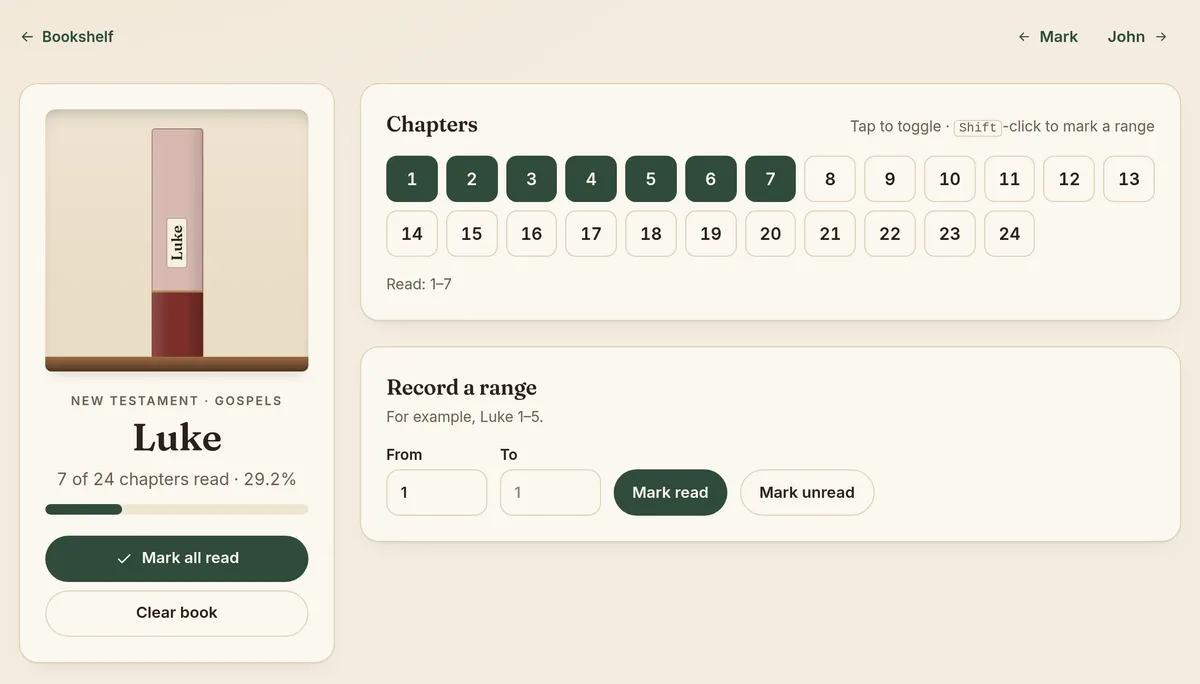
Tap a single chapter, record a range like Genesis 1–5, or mark a whole book at once. Changed your mind? Every change can be undone.
A dashboard at a glance
See how much of the Bible you’ve read, Old and New Testament progress, what you’ve read recently, and pick up where you left off with one tap.
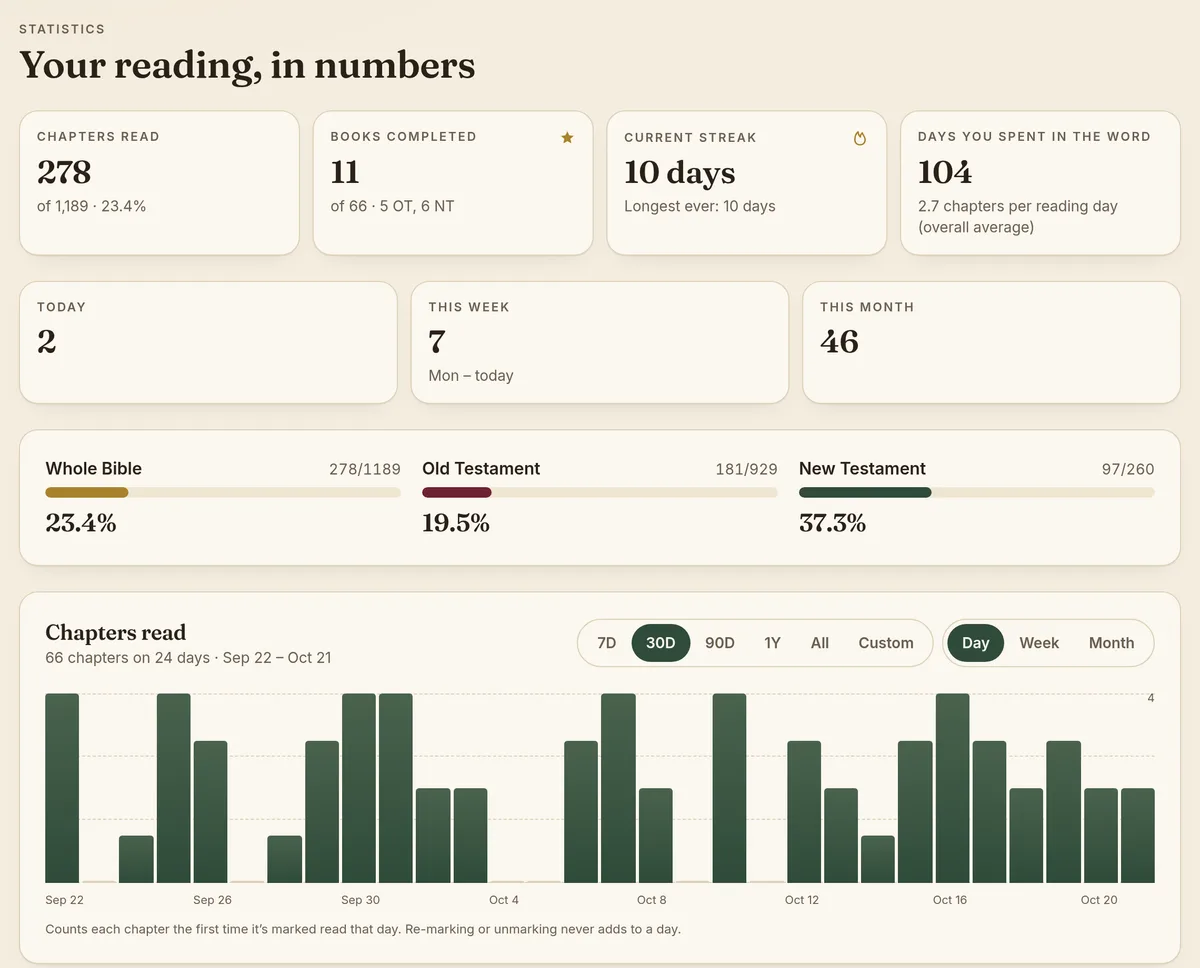
Stats and streaks
Current and longest streaks, chapters per day, week or month, cumulative progress over time, and a clearly labelled estimate of when you’ll finish.
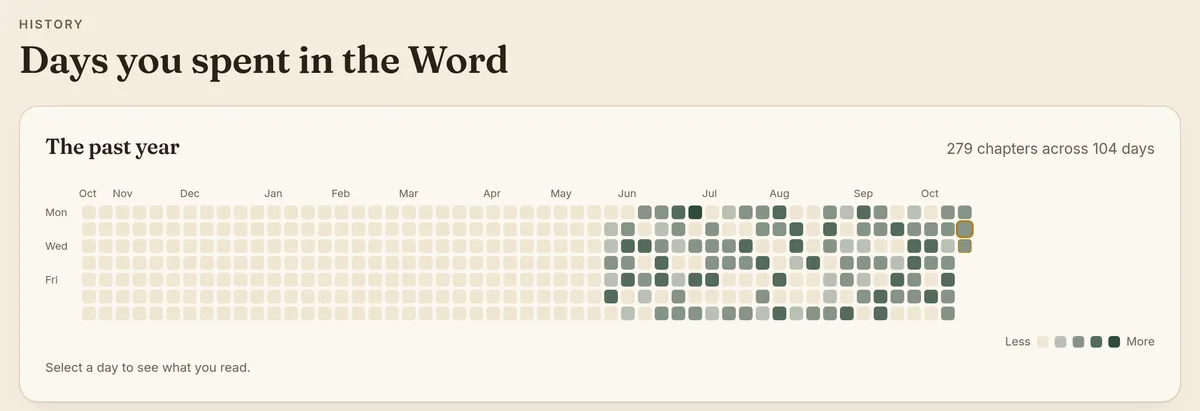
A history calendar
A year-at-a-glance calendar of the days you spent in the Word, plus a day-by-day timeline of what you read.
Gentle, optional goals
Set a quiet target — chapters a day, chapters a week, or reading days a week — or skip goals entirely.
Easy on the eyes
A warm parchment theme by day and an evening dark mode by night, or simply match your device.
Your data stays yours
Export your reading as JSON or CSV whenever you like, or delete your account and everything in it from Settings.
How it works
Three steps. That’s it.
Step 1: Sign in with Google
One tap and you’re in. There’s no separate password to remember.
Step 2: Mark what you read
After your reading, mark the chapters — one at a time, as a range, or a whole book.
Step 3: Watch your shelf fill
Spines fill up, finished books turn gold, and your streaks and history grow with you.
Free and on your phone
Free. Sign in with Google. Works on your phone.
Free to use
No subscription and no ads. Just sign in and start.
Sign in with Google
Use the Google account you already have. Your reading is private to you.
Add it to your home screen
Open the app in your phone’s browser and choose “Add to Home Screen”. It opens full-screen like any other app — no app store needed.